The Category Selective Quiz Addon gives users more control over their quiz experience by allowing them to select how many questions they want to answer from each category.
Instead of showing a fixed set of questions, this addon lets participants customize their quiz based on their interests, knowledge level, or learning goals. Users can choose the number of questions from available categories and create a more personalized practice experience.
Why Use the Category Selective Quiz Addon?
The Category Selective Quiz Addon creates a more flexible learning experience by allowing users to focus on the topics that matter most to them.
It is a great solution for:
- Online learning platforms.
- Exam preparation websites.
- Student practice quizzes.
- Employee training programs.
- Knowledge assessment systems.
How to Use the Category Selective Quiz Addon
Step 1: Install the Required Plugins
Install and activate the Pro version of the Quiz Maker plugin on your WordPress website.
Then install and activate the Category Selective Quiz Addon separately.
Step 2: Add the Category Selective Option
Open the quiz shortcode and add the following attribute:
category_selective="true"
Example:
[ays_quiz id="1" category_selective="true"]Step 3: Add the Shortcode to Your Page
Copy the updated shortcode and paste it into any WordPress post or page where you want the quiz to appear.
Step 4: Let Users Customize Their Quiz
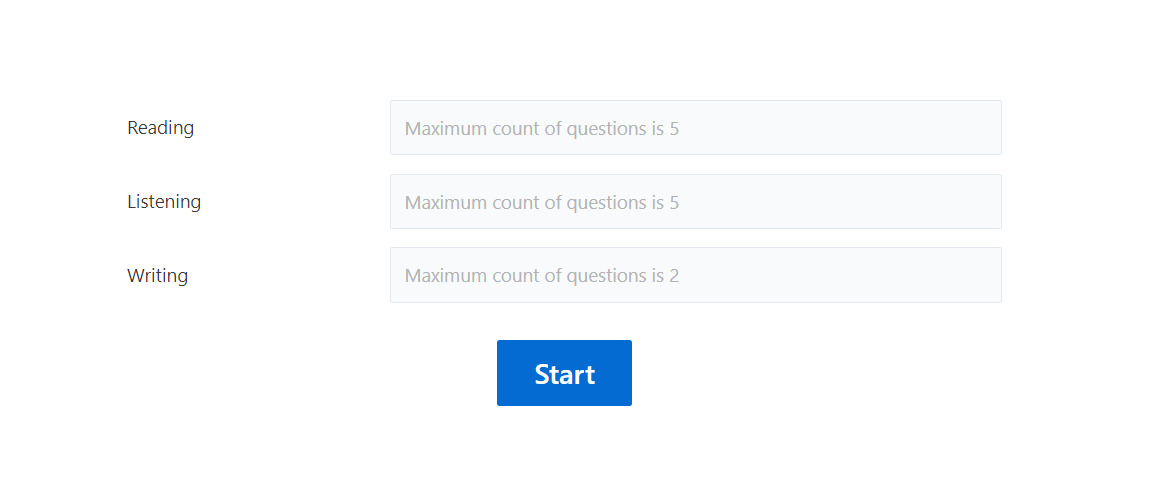
After setup, users will see the available quiz categories and can choose how many questions they want to answer from each category.
* This addon works with the Free, Business or Developer versions of the Quiz Maker plugin.
