The Gemini AI Addon simplifies the process by generating high-quality quiz questions directly inside your WordPress dashboard. All you need to do is to simply provide a topic or upload a PDF document, and Gemini AI will create relevant questions in just a few moments. This allows you to spend less time creating content and more time improving your quizzes.
Why Use the Gemini AI Addon?
The Gemini AI Addon allows you to:
- Generate quiz questions from any topic.
- Create questions from PDF files.
- Save time on manual question writing.
- Customize the number of questions and answer choices.
- Organize questions with categories.
How to Set Up the Gemini AI Addon
Step 1: Install the Addon
Install and activate both the Quiz Maker plugin and the Gemini AI Addon on your WordPress website.
Step 2: Configure the API Key
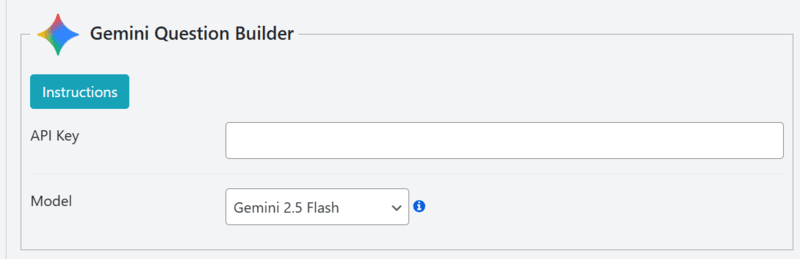
Navigate to Quiz Maker → General Settings → Integrations and locate the Gemini Question Builder section.
Generate a Gemini API key through Google AI Studio, then paste it into the corresponding field and save your settings.
Step 3: Open the Question Builder
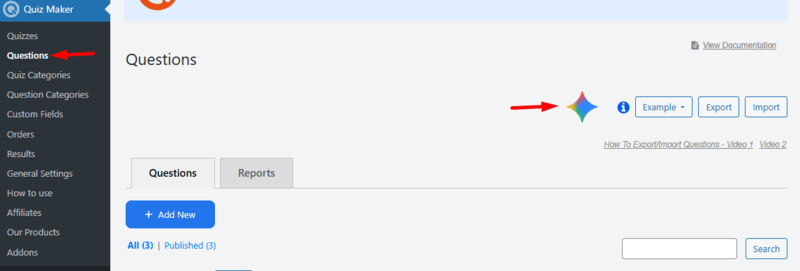
Go to Quiz Maker → Questions and click the Gemini AI icon to start generating quiz questions.
Step 4: Generate Questions Using a Topic
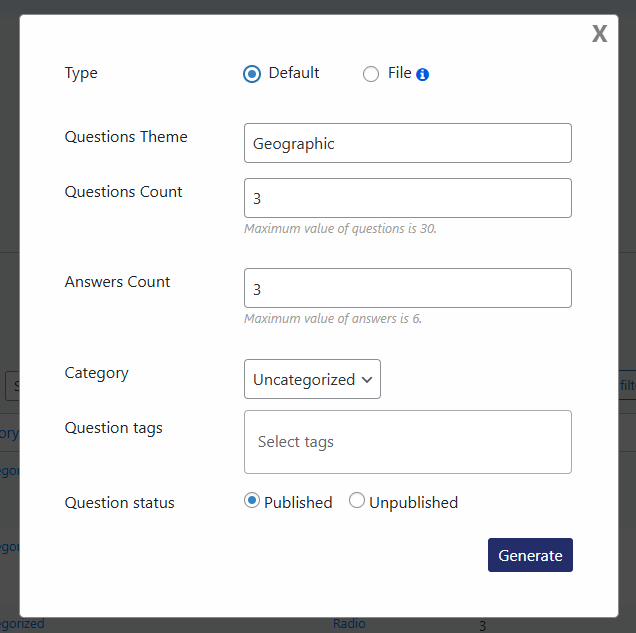
Choose the Default generation mode if you want Gemini to create questions from a specific subject.
Enter your quiz topic, define how many questions and answer options you need, select a category and tags if desired, choose the question status, and click Generate.
The generated questions will automatically appear in your Questions list.
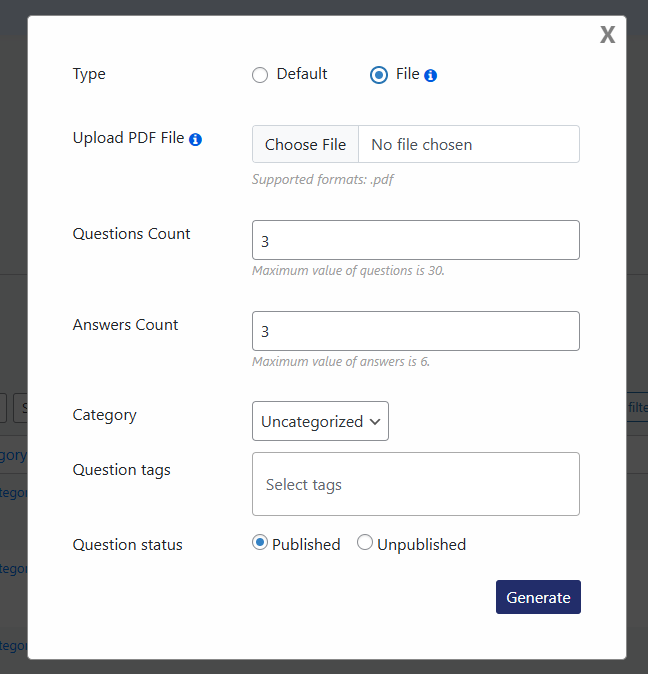
If you already have study materials or documentation, select the File generation mode.
Upload a PDF containing the information you want to use, configure the number of questions and answers, choose the category, tags, and question status, then generate your quiz.
Gemini AI analyzes the uploaded content and creates relevant questions based on the document.
These are all the steps needed for configuring the Gemini AI Addon for your Quiz Maker by AYS plugin.
* This addon works with the Free, Business or Developer versions and is included in the Agency package of the Quiz Maker plugin.
