People build quizzes for different reasons: some want to entertain, some to teach, and some to sell. A trivia quiz for a blog and a certification exam require very different features from a plugin, so whether to upgrade depends on which one you’re building.
This guide walks through those things, shows what the free and paid versions typically look like (using Quiz Maker as an example), and gives you a simple way to decide before you spend anything.
First, “Free” Doesn’t Mean the Same Thing Everywhere
Before comparing free plans with paid ones, it’s good to know that free versions are not equal. Three real examples show the range:
- Some free versions are genuinely complete for simple needs. Quiz and Survey Master, for example, lets you build a full graded quiz for free, and sells paid add-ons and plans for things like integrations and advanced reporting.
- Some free versions don’t include quizzes at all. WPForms Lite is a capable form builder, but its quiz add-on, with scoring and personalized results, is part of the Pro plan.
- Some free versions are limited in a specific way. Quiz Cat’s free version handles straightforward quizzes, while personality-style scoring, weighted answers, and randomization are premium features. The free plan of the hosted tool Opinion Stage allows unlimited quizzes but only 25 responses a month.
So the useful question isn’t “free or paid?” It’s “which specific features does my quiz need, and where does each plugin put them?”
What the Free Version of Quiz Maker Includes (and What It Doesn’t)
Below, you can see what features are included in the free and pro versions of the Quiz Maker plugin.
| Area | Free version | Pro version |
| Building | Unlimited quizzes and questions, question bank, randomized questions and answers, question images, media in questions | Import and export of questions, advanced question bank by category, image answers, multi-page quizzes, chained and popup quizzes |
| Scoring and results | Question and answer points, conditional result messages by score range, correct and incorrect answer text, a quiz timer | Result text by percentage, personality quizzes, conditional results, manual grading, results with charts |
| Data | A results sheet, plus 3 fixed form fields (name, email, phone) | Custom fields, export of results to CSV, front-end statistics, user location, user dashboard and history |
| Follow-up | Redirect after the quiz | Email to the user and to the admin, automatic certificates, hide the score and send it by email |
| Design | Quiz styles with live preview, themes, social sharing | Everything in free, plus extras like leaderboards, flashcards, and custom pagination |
| Access | Restrict to logged-in users | Role-based access, password-protected quizzes, scheduling, required questions, copy protection |
| Money and tools | None | PayPal and Stripe paid quizzes, 15+ integrations (Mailchimp, Zapier, Slack, ActiveCampaign, WooCommerce and more), ChatGPT question builder |
If you want to learn more, visit the Pricing Quiz Maker page to compare plans.
6 Situations Where Upgrading Makes Sense
The free version is where you build a quiz and find out how people use it. A paid plan makes sense when you need more advanced scoring, automation, reporting, access controls, or payment options.These are the moments that usually signal it’s time to switch.
1. You need to follow up with people automatically
Collecting a name and email with the free form fields is fine for a small list. But once you want the quiz to send something, like the result by email, a copy to yourself, or a subscriber added to your email tool, you’ve moved into Pro territory. That includes emailing users and admins, hiding the score until an email is entered, and connecting to Mailchimp, ActiveCampaign, and similar tools.
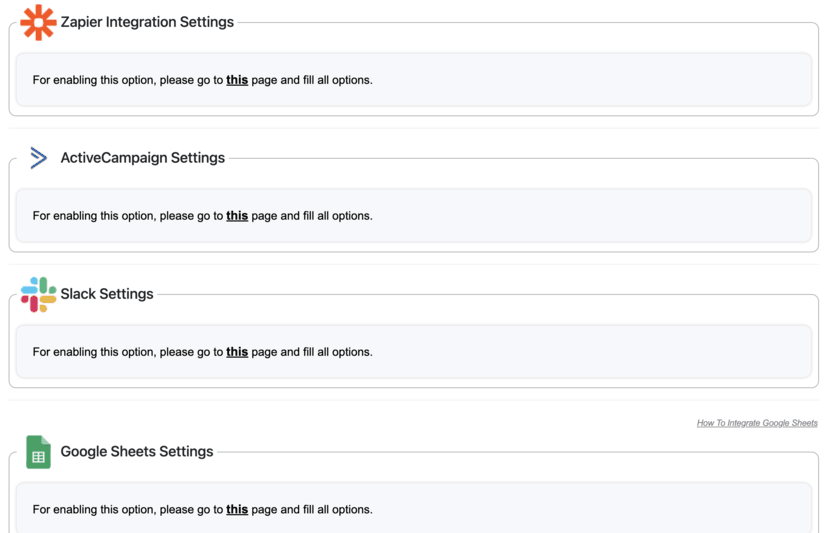
Below, you can see a picture of some of the integrations avaliable in Quiz Maker. You can learn more about integrations by checking Quiz Maker Integrations page and watch the video guide.
2. You need proof of completion
Certificates are a Pro feature. You can design the title, text, background, orientation, and frame, set a pass score, and have it emailed automatically. If you want to learn more about certificates. check out our Quiz Certificates page.
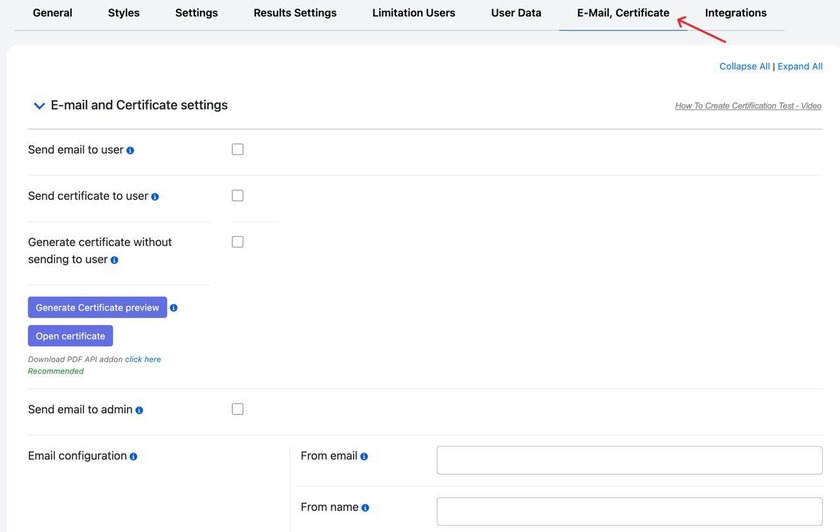
In this section of the quiz settings, you can customize the certificate and set its delivery conditions.
3. You want to charge for the quiz
Paid quizzes through PayPal, Stripe, and WooCommerce are Pro. The free version has no payment option. If you want to learn more about this, check out our How to Create a Paid Quiz in WordPress article.
4. You need personality-style or answer-based results
Keyword-based personality quizzes and the Conditional Results add-on (custom messages, emails with attachments, and redirects based on specific answers) need Pro. We have an article specifically about conditional result pages; check out our How to Set Up Conditional Result Pages in Quiz Maker.
5. You need to understand and use the data
The free version gives you a results sheet. Pro adds charts, export, front-end statistics, leaderboards, and user history. It’s especially worth it if you make decisions from the results, like which question confuses people most, or if you want to show scores back to participants. For a casual quiz where nobody reads the stats, don’t pay for them.
6. You need tighter control
Manual grading for open-ended answers, required questions, password protection, scheduling, copy protection, and multi-page or chained quizzes all sit in Pro. It’s useful when the quiz is a real assessment where fairness and security matter. If it’s a for-fun quiz on a blog, it isn’
When You Should Stay Free
Free is often enough when:
- You’re running one or a few quizzes, such as trivia or knowledge tests, on a blog.
- A score and a message at the end are all the feedback you need.
- You’re checking the results yourself and don’t need them emailed or exported.
- You’re still testing whether quizzes work for your audience at all.
In that situation, spending money before you’ve seen real engagement is how people end up with a premium license they never open.
Frequently Asked Questions
1. Can I build a good quiz with only the free version?
Yes. The free version of Quiz Maker supports unlimited quizzes and questions, scored results, conditional messages by score range, a timer, and basic data collection. Many quizzes never need more.
2. Do I need Pro to create a personality quiz?
Keyword-based personality quizzes are a Pro feature in Quiz Maker. If you only need different messages for different score ranges, the free version can do that.
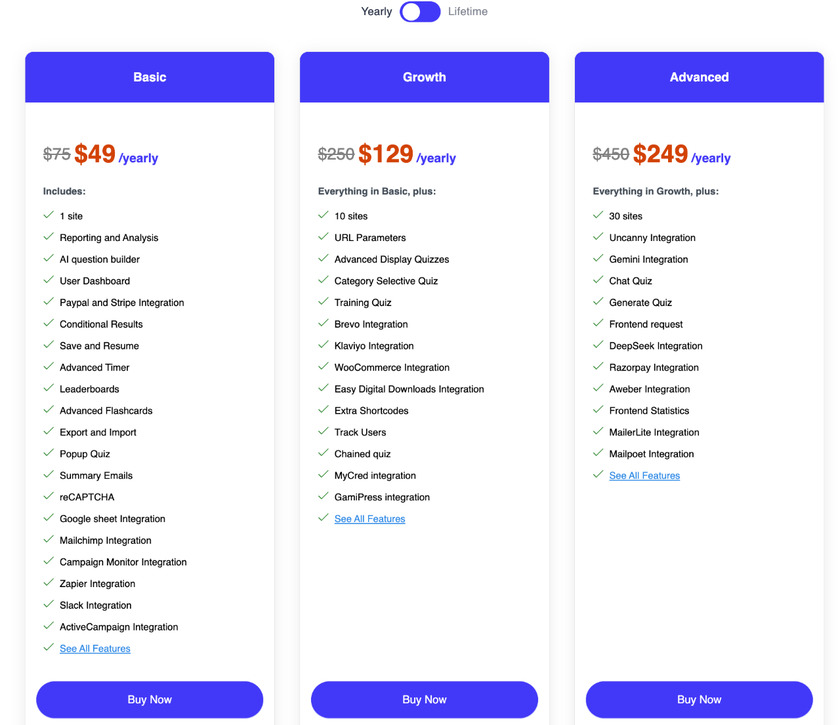
3. Is it a one-time payment or a subscription?
Quiz Maker offers yearly subscriptions and lifetime licenses.
4. What if I’m not sure I need Pro?
Start with the free version if it meets your current requirements, and upgrade when you identify a specific limitation.
The free version of Quiz Maker is a really good tool, with unlimited quizzes and unlimited questions. Pro is for the time your quiz has to do something beyond that: get results out of WordPress, email them to people, issue a certificate, or take a payment. Until that day, you lose nothing by waiting, and you learn what your quizzes need.
So don’t decide in advance. Build the quiz, run it, and keep a list of every time you wish the plugin could do something it can’t.