The Generate Quiz Addon allows website visitors to create personalized quizzes directly from the frontend of your WordPress website. Instead of manually creating every quiz, users can select their preferred categories, choose the number of questions, and generate a quiz instantly.
How to Use the Generate Quiz Addon
Step 1: Install the Required Plugins
Make sure the Quiz Maker by AYS plugin and the Generate Quiz Addon are installed and activated on your WordPress dashboard.
Step 2: Find the Generate Quiz Shortcode
Go to:
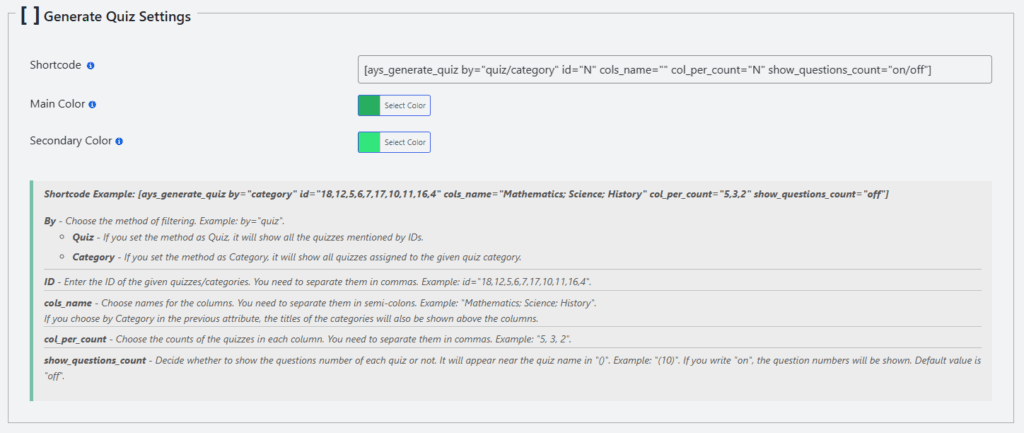
Quiz Maker → General Settings → Shortcode → Generate Quiz Settings
Here you will find the shortcode needed to display the quiz generator on your website.
Step 3: Configure Quiz Generation Settings
Choose whether you want users to generate quizzes from specific quizzes or selected quiz categories.
Set the required quiz or category IDs. If you want to include multiple options, separate the IDs with commas.
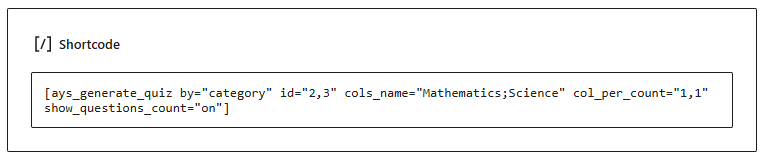
Step 4: Add the Shortcode to Your Website
Copy the generated shortcode and paste it into any WordPress post or page where you want the quiz generator to appear.
Step 5: Generate Quizzes from the Frontend
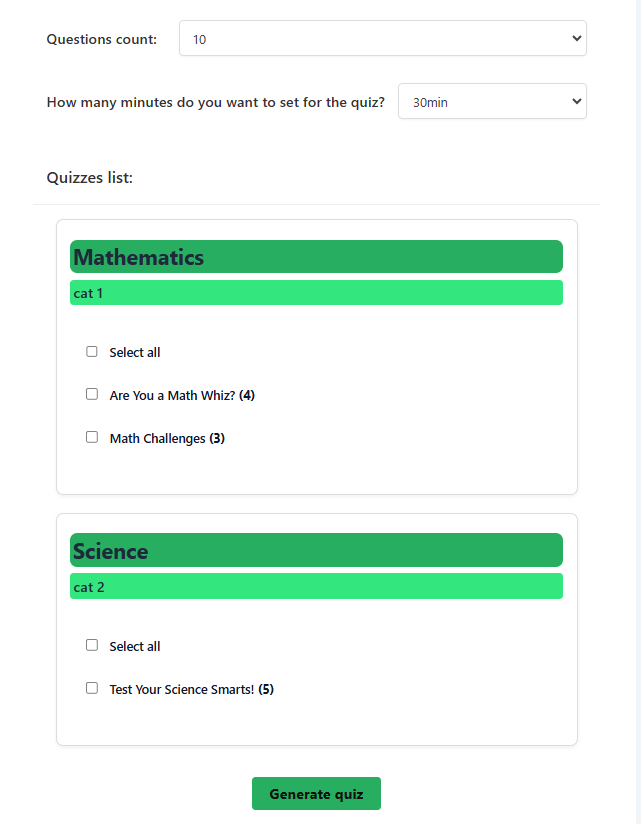
After completing the setup, visitors will see the quiz generation form on your website.
Users can select their preferred options and click the Generate Quiz button. A new quiz will be created based on the selected categories, quizzes, and settings.
Once users generate a quiz, the created quiz will also appear in your Quiz Maker dashboard, allowing you to manage generated quizzes easily.
Why Use the Generate Quiz Addon?
The Generate Quiz Addon makes quizzes more flexible by allowing visitors to create their own tests based on their interests. It helps you build a more interactive website experience while saving time on manual quiz creation.
It is a useful tool for:
- Online learning platforms.
- Training and assessment websites.
- Educational resources.
- Knowledge testing websites.
- Interactive quiz communities.
