The Razorpay Integration Addon allows you to connect your WordPress quizzes with the Razorpay payment gateway and monetize your quiz content easily.
With this integration, you can create paid quizzes and require users to complete a payment before accessing them. Whether you are offering online exams, premium assessments, educational tests, or paid personality quizzes, this addon provides a simple way to collect payments directly through your quiz workflow.
Why Use the Razorpay Integration Addon?
The Razorpay Integration Addon helps you turn your quizzes into a revenue-generating tool by adding a simple payment option before quiz access.
It is a great solution for:
- Online course creators.
- Certification platforms.
- Training websites.
- Paid assessments.
- Premium knowledge tests.
- Educational platforms.
How to Use the Razorpay Integration Addon
Step 1: Install the Required Plugins
First, install and activate the Pro version of the Quiz Maker plugin on your WordPress website.
Then install and activate the Razorpay Integration Addon separately.
Step 2: Connect Razorpay Account
Before configuring the integration, make sure you have an active Razorpay account.
Log in to your Razorpay dashboard and get your:
- Razorpay Key ID
- Razorpay Key Secret
These credentials will be required to connect Razorpay with Quiz Maker.
Step 3: Configure Razorpay Integration Settings
Go to:
Quiz Maker → General Settings → Integrations
Find the Razorpay Integration section and enter your API credentials.
Save the changes to activate the payment gateway connection.
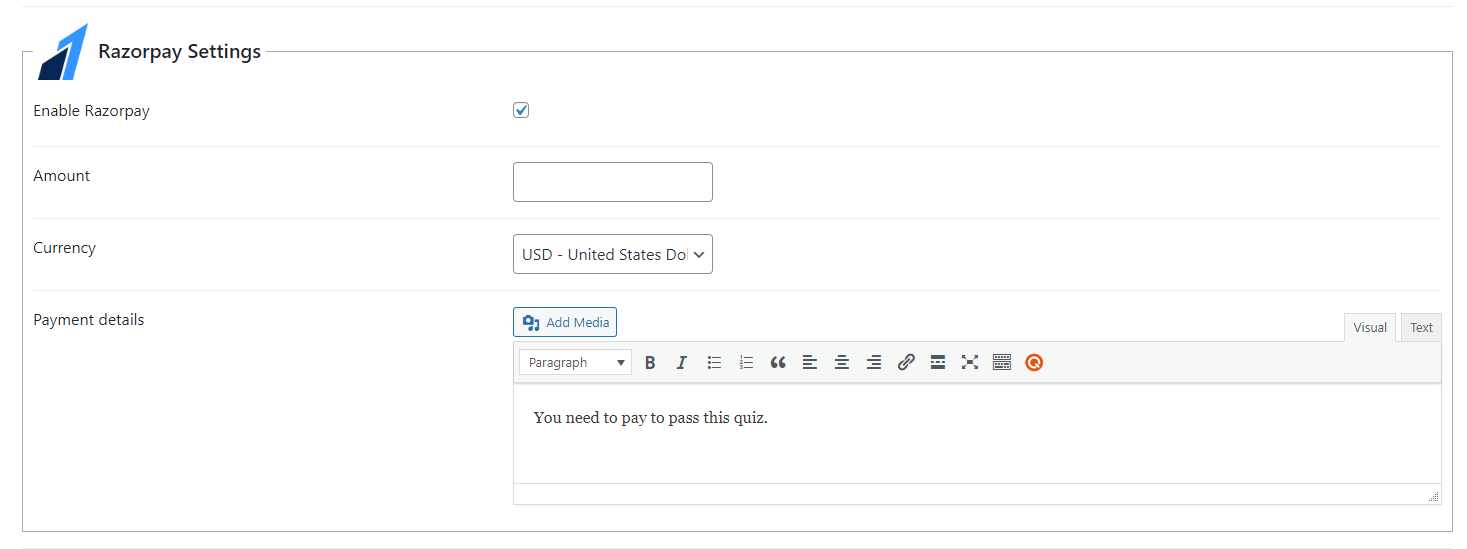
Step 4: Enable Razorpay Payments
Open your quiz settings and enable the Razorpay payment option.
Configure the payment details according to your requirements and save the quiz settings.
After completing the setup, users will need to complete the payment process before accessing the quiz.
