Long quizzes often require more time than users can dedicate in a single session. The Save & Resume Addon allows participants to pause their progress and continue later without losing any of their completed answers.
Instead of restarting from the beginning, users can return to the same quiz and pick up exactly where they left off. This creates a better user experience, reduces quiz abandonment, and makes long assessments much more manageable.
Why Use Save & Resume Addon?
Not every learner or participant can complete a quiz in one sitting. Various factors can occur during the test; they can be interrupted, need to gather additional information, or simply run out of time, the Save & Resume feature ensures their progress is preserved until they’re ready to continue.
This functionality is especially useful for:
- Professional certification exams
- Employee training assessments
- Educational quizzes
- Personality tests
- Surveys with multiple sections
How It Works
Step 1: Install the Pro version
Install and activate the Pro version of the Quiz Maker by AYS plugin from your WordPress dashboard.
Step 2: Add the Save and Resume addon
Download and install the Save and Resume addon separately, then make sure it is activated.
Step 3: Enable the feature in quiz settings
Open the quiz you want to edit, go to the Settings tab, and turn on the Enable Save and Resume option.

Step 4: Save your quiz
As soon as you have activated the Enable save and resume” option and saved your quiz, while passing the quiz, users will have the ability to save the process.
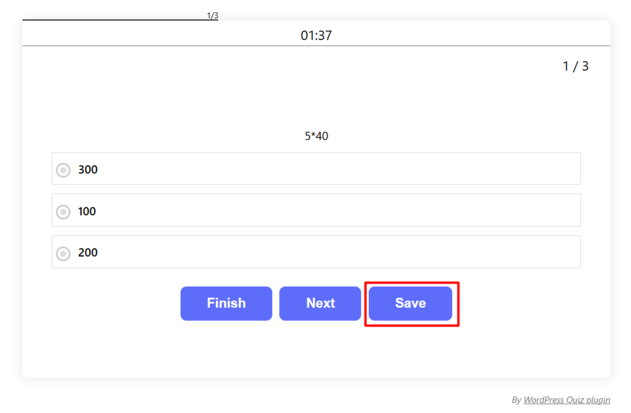
The users will receive the following message
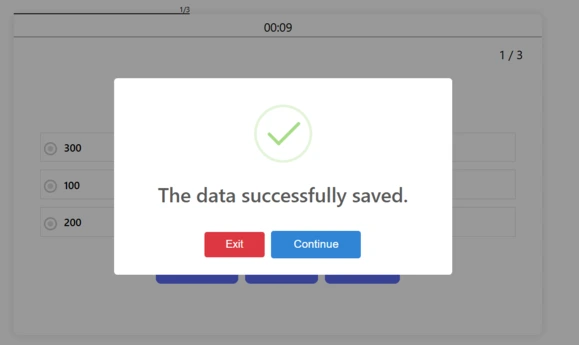
Step 5: Exit and resume later
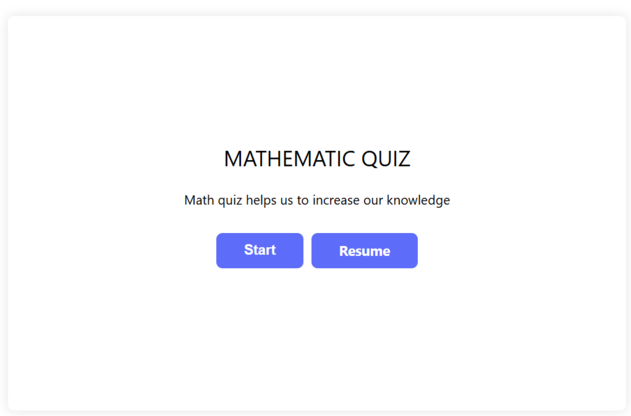
Users can click the Exit button to leave the quiz and return later. When they come back, they can continue from the exact point where they stopped.
The Save & Resume Addon is recommended for any quiz that requires a significant time investment, including online courses, employee evaluations, certification programs, educational exams, customer research surveys, and detailed personality assessments.
By allowing users to complete quizzes on their own schedule, you create a more accessible and user-friendly experience while encouraging higher completion rates.
