The URL Parameters Addon allows you to pass information through a URL and use it inside your quizzes automatically. Instead of asking users to enter the same details repeatedly, you can populate quiz fields with values taken directly from the URL. This feature helps create a smoother user experience while making it easier to personalize quizzes, track campaigns, and connect quizzes with external systems.
Why Use the URL Parameters Addon?
The URL Parameters Addon helps automate data collection and personalize every quiz session. By passing information directly through the quiz URL, you can reduce manual input, improve accuracy, and create a more seamless experience for your users.
- Automatically populate quiz fields using URL parameters
- Personalize the quiz experience for each visitor.
- Capture data from external websites or applications.
- Reduce manual data entry.
- Improve workflow automation.
- Integrate quizzes more easily with marketing campaigns and third-party tools.
How to Use the URL Parameters Addon
Step 1: Install the Required Plugins
Install and activate the Pro version of the Quiz Maker plugin along with the URL Parameters Addon.
Step 2: Enable URL Parameters
Open the quiz you want to configure and navigate to the Settings tab.
Find the URL Parameters section and enable the feature.

Step 3: Map URL Parameters
Specify the URL parameter names you want to use and connect them to the appropriate quiz fields.
For example, you can pass values such as a user’s name, email address, campaign ID, or any custom information through the quiz URL.
Step 4: Create Your URL
Build a URL that includes the required parameters.
When users open the link, the addon will automatically read the parameter values and populate the matching fields in the quiz.
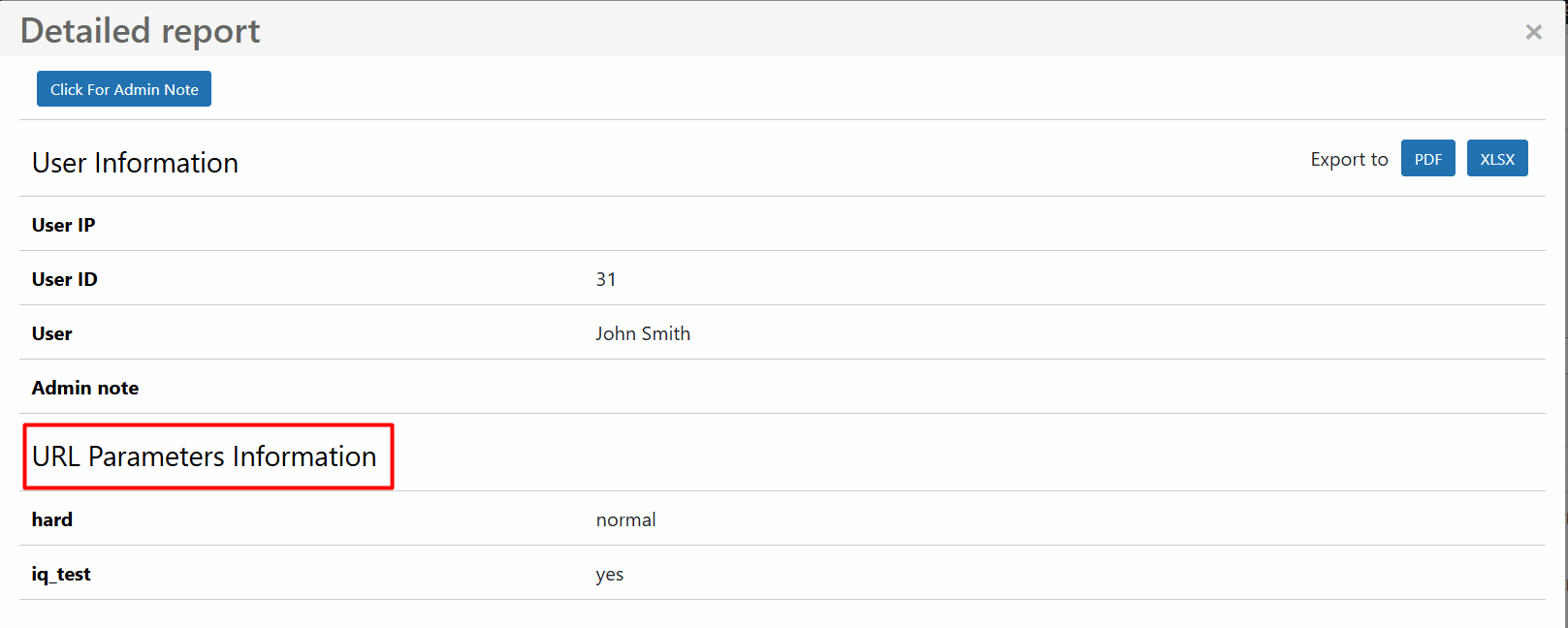
As soon as the quiz takers will pass the quiz, you will be able to see the URL parameters on the Detailed Report.
This addon works only with the Business/Developer and Agency packages of the Quiz Maker plugin and needs to be purchased separately
