The User Registration & Login Addon gives you the ability to require user authentication before a quiz can be accessed. Instead of allowing anonymous participation, you can ask visitors to create an account or sign in first. Whether you’re building an online course, employee assessment, membership website, or private training platform, this addon helps you control who can access your quizzes.
Why Use the User Registration & Login Addon?
The User Registration & Login Addon helps you manage quiz access while ensuring that every participant is identified before starting a quiz.
It is especially useful if you want to:
- Limit quizzes to registered users.
- Track participant activity more accurately.
- Prevent anonymous quiz attempts.
- Create secure quizzes for students, employees, or members.
- Build a more organized and controlled learning environment.
How to Use the User Registration & Login Addon
Step 1: Install the Required Plugins
Firstly, you will need to install and activate both the Pro version of the Quiz Maker by AYS plugin and the User Registration & Login Addon on your WordPress website.
Step 2: Enable the Addon
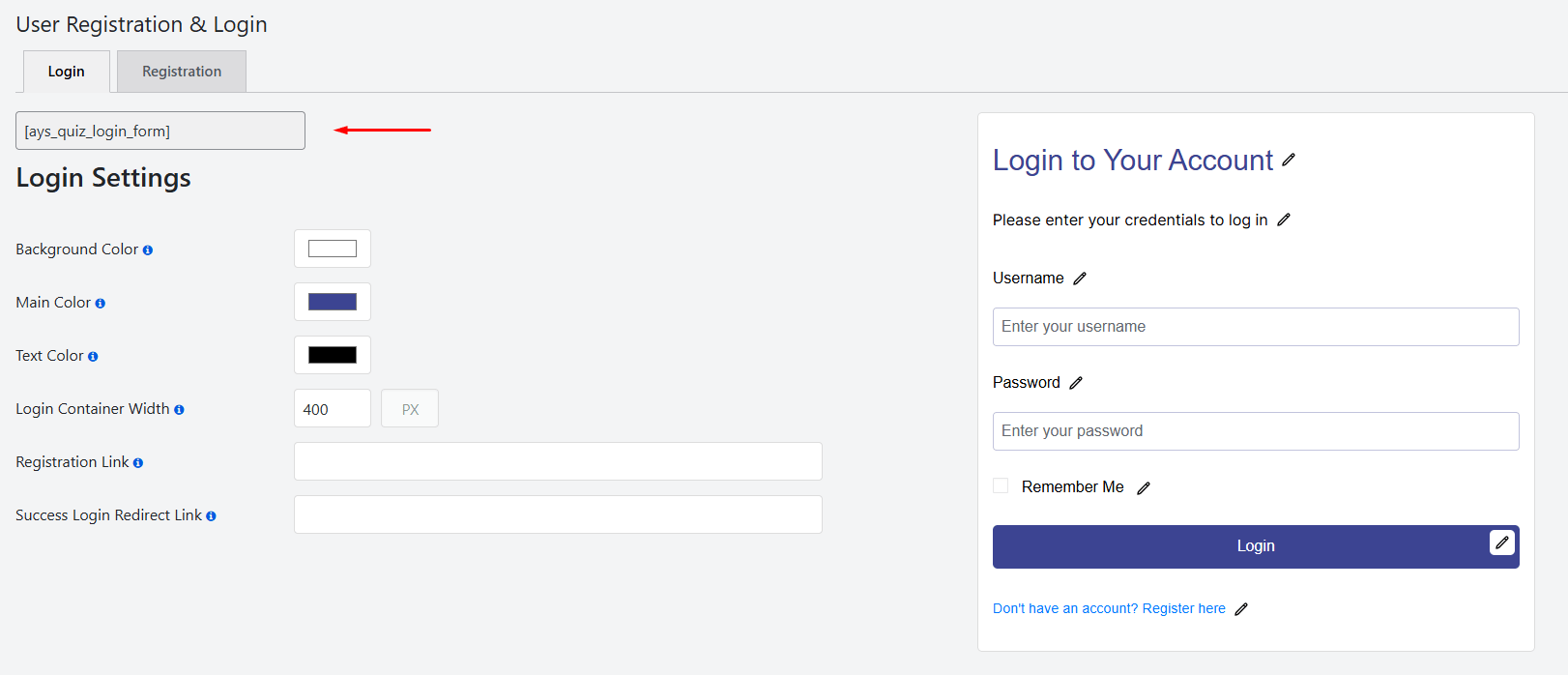
As soon as the addon is activated, the User Registration and Login tab will be added. There you will be able to see two shortcodes.
Step 3: Set Up the Login Form
On the Login page, users can enter their username and password to access their accounts.
If a visitor does not have an account yet, they can register by following the registration link. Make sure to add:
- Registration Link – the URL of the page where users can create a new account.
- Success Login Redirect Link – the page where users will be redirected after successfully logging in.
Step 4: Add the Login Form to Your Website
To display the Login form, copy the following shortcode and add it to any WordPress page or post:
[ays_quiz_login_form]
Once added, users will be able to log in directly from that page.
Step 5: Add the Registration Form
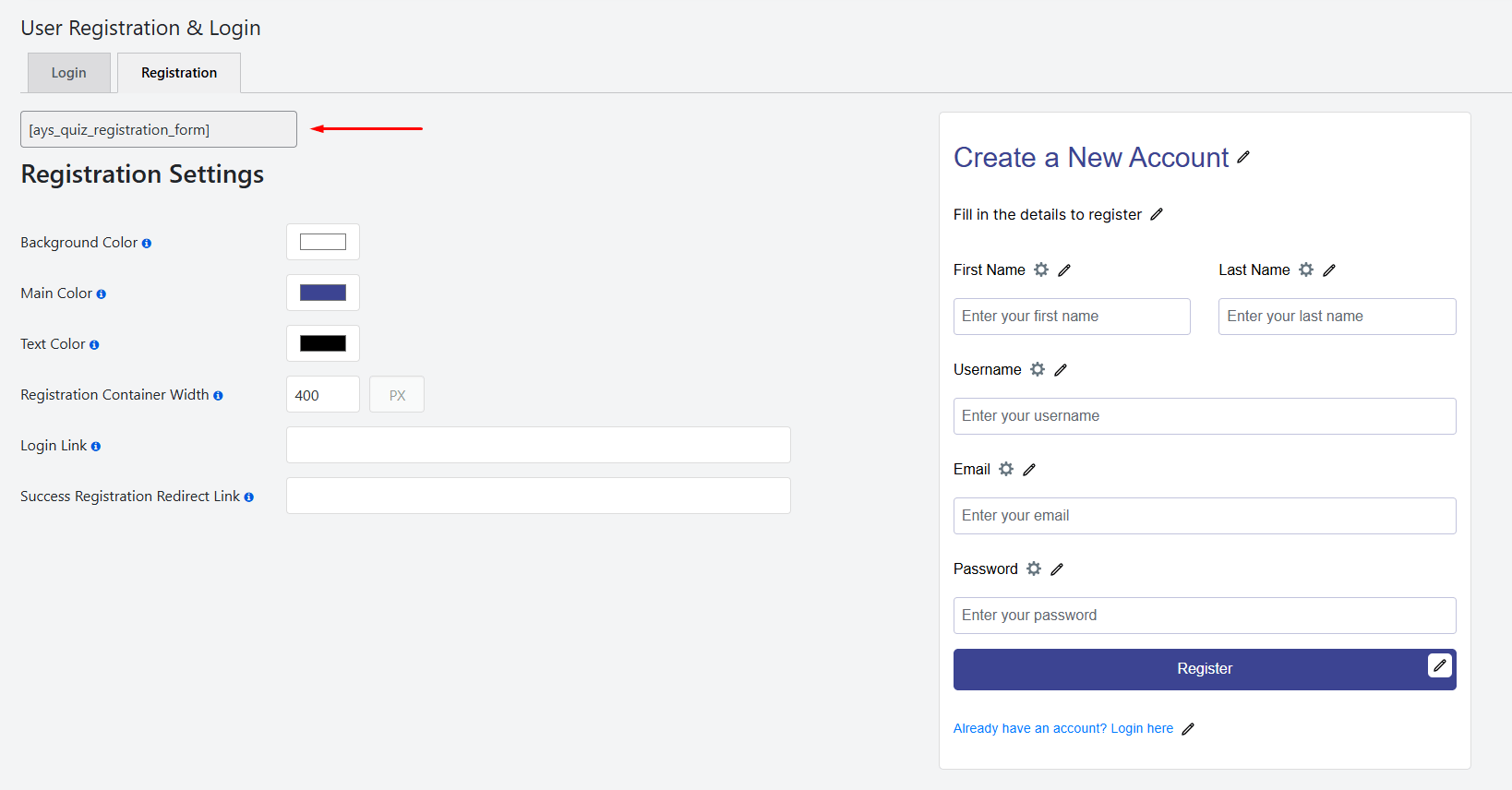
To enable user registration, copy the registration shortcode and paste it into any page or post:
[ays_quiz_registration_form]
This will add a registration form where new users can create an account.
Step 4: Configure Registration Settings
For the Registration form, make sure to set the Login Link URL. This is the page users will be directed to when they click the “Login Here” option if they already have an account.
Also, configure the Success Registration Redirect Link to specify the page where users should be sent after completing the registration process successfully.
Whether you’re building an online course, employee assessment, membership website, or private training platform, this addon helps you control who can access your quizzes.
Key Benefits
- Require users to register or log in before starting a quiz.
- Restrict quiz access to authenticated users.
- Collect participant information more efficiently.
- Improve quiz security and user management.
- Track quiz attempts by registered users.
- Ideal for educational, training, and membership websites.
